
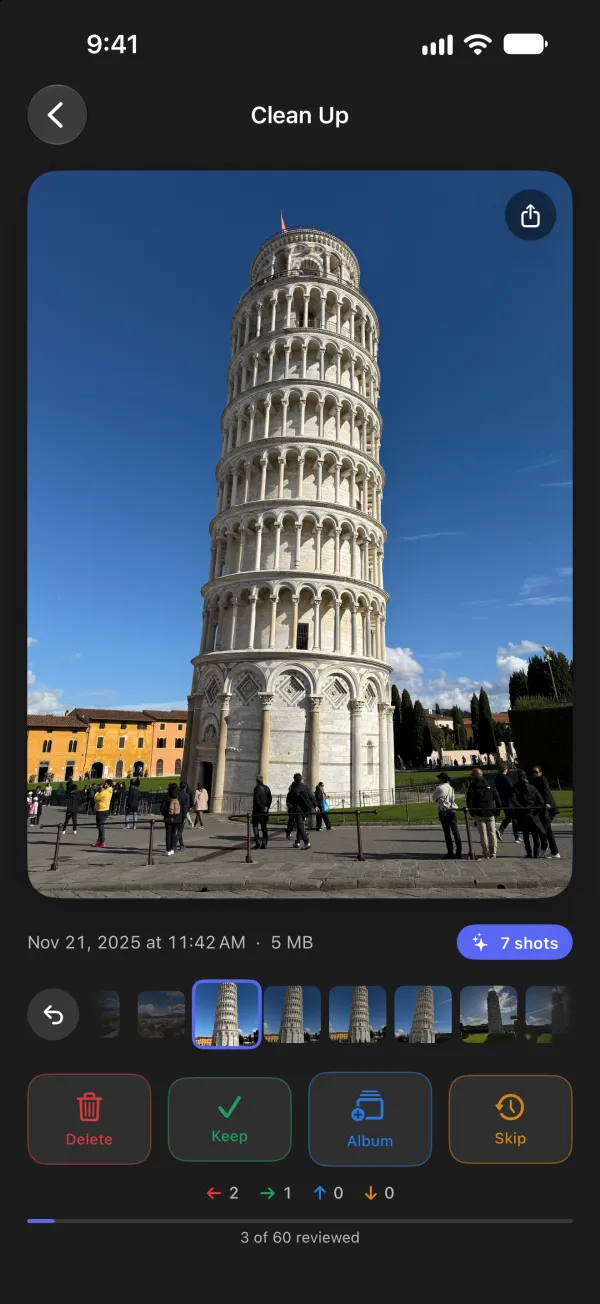
Four swipes. That's the whole app.
No menus to learn and no albums to build first. Look at a photo, decide, move on — or tap a button if you'd rather not swipe.
-
Delete
Mark it for deletion. Nothing is removed until you confirm.
-
Keep
Keep it, and never see it here again.
-
Album
Pick an album to add it to.
-
Skip
Skip it for now. It comes back next session.
A fresh start every time
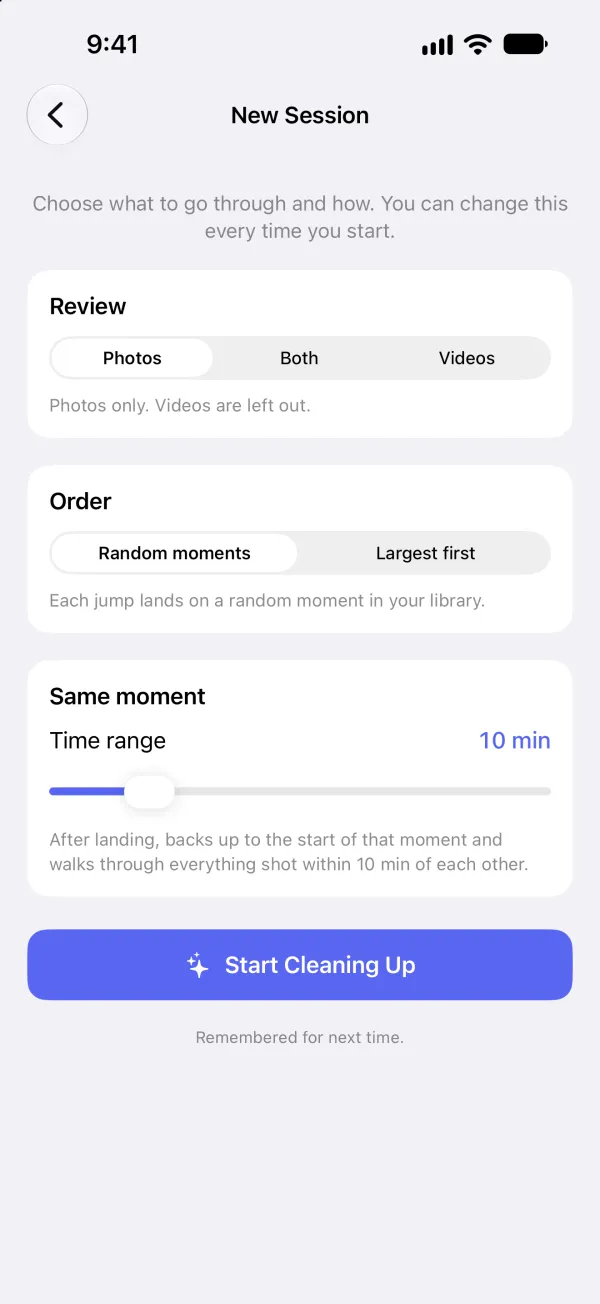
Start anywhere in your library
Scrolling from the top is why cleanup never gets finished. Swipeful jumps to a random moment, backs up to where it began, and takes you through it in order — so thousands of photos become a few minutes here and there.
Short on space? Choose Largest first and work down from the files taking up the most. Photos, videos or both: you pick each session.
No surprises
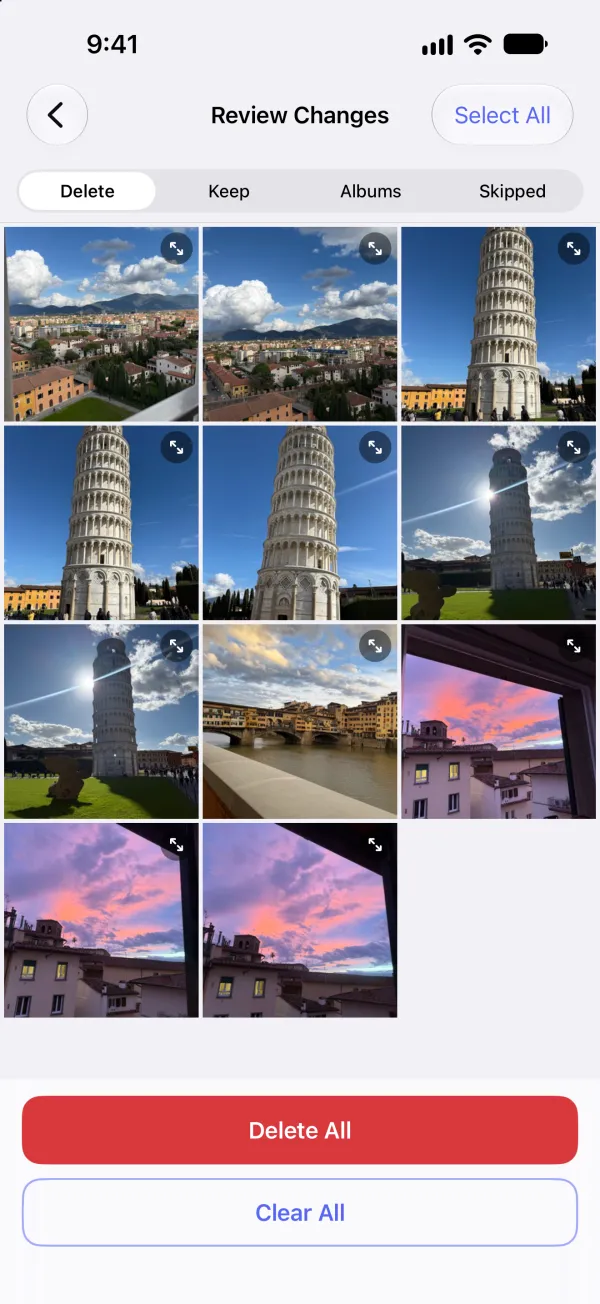
Nothing happens until you confirm
Swiping only records what you want to do. Everything waits on one screen where you can look it over, clear anything you've changed your mind about, and commit it all at once.
Undo any of your recent swipes with one tap. And before you delete, Swipeful tells you how much space it will free.
Videos and bursts
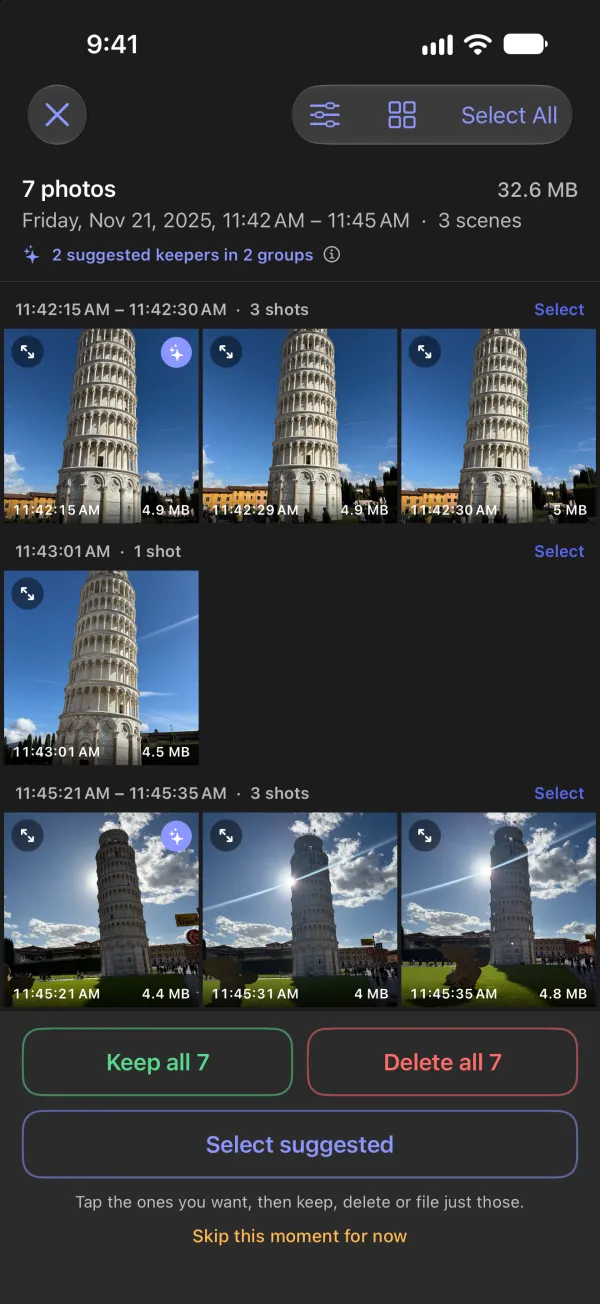
Twelve shots of the same thing? Keep the best one.
Open a whole moment as a grid and Swipeful finds the shots that are takes of the same picture, suggesting the sharpest and best exposed of each. It only suggests — you choose — and the comparison happens on your iPhone.
Videos play right on the card, and every item shows its file size, so you always know what a delete is worth.
Your photos stay on your phone.
Plenty of cleanup apps upload your library to analyse it. Swipeful doesn't. Everything it does, it does on your iPhone.
- No account to create
- No ads, no tracking
- No analytics or third-party code
- Nothing about you is collected
The details are in the privacy policy.
Try it free. Pay once if it helps.
No subscription, and no charge to finish a cleanup you've started.
Free
150 photos or videos
- Every feature, no time limit
- Skipping something doesn't count
Unlock
$7.99 once
- Unlimited sorting, forever
- Shared with your family through Family Sharing
Deleting photos you've already marked never needs the unlock. Price shown in US dollars; the App Store sets local prices.
Clear the backlog, a few swipes at a time.
Swipeful is on the App Store for iPhone.